ServBay is a powerful cross-platform cornerstone for development

ServBay includes a rich set of tools and components that can be used for PHP, Node.js, and Python projects. It can be used in conjunction with MySQL/MariaDB, as well as PostgreSQL and MongoDB. Using ServBay, they are portable and reliable, allowing you to focus on what matters most: developing your project!

Download for macOS 12+ & Windows 10+ / Server 2012+
ServBay is a powerful cross-platform cornerstone for development

Built for how you actually develop

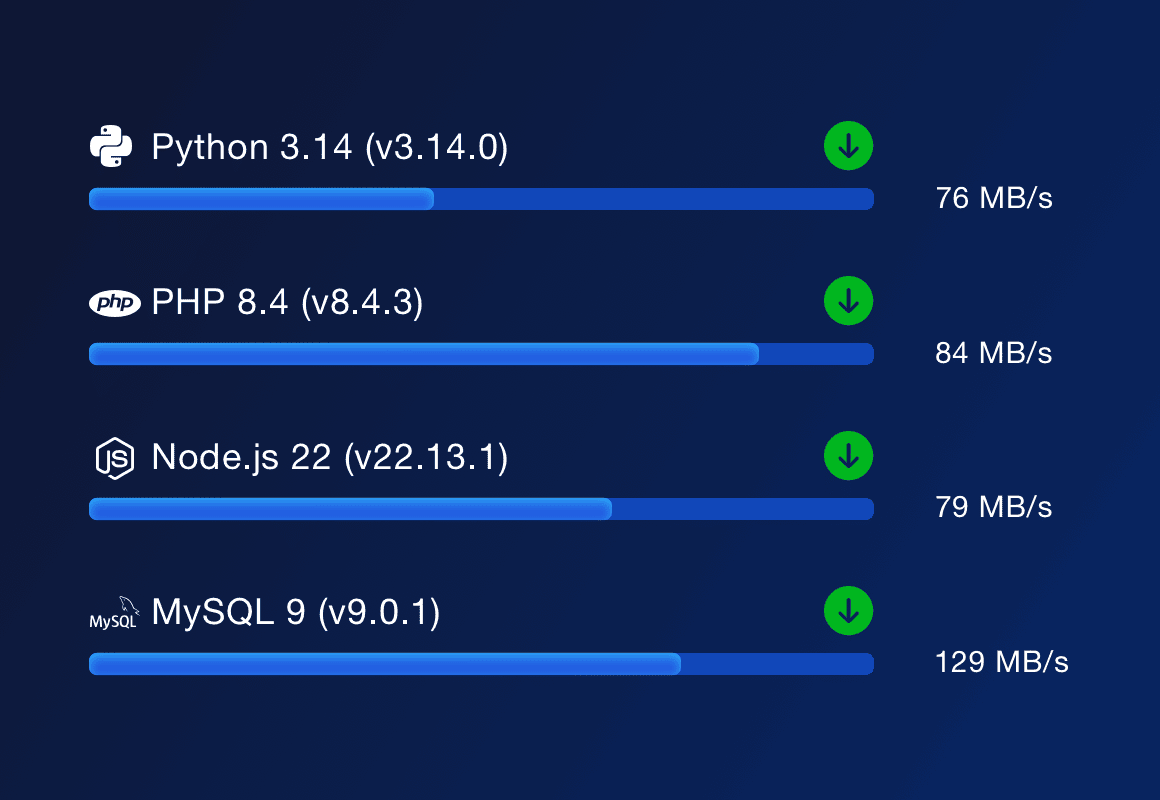
The Fastest Development Environment

The Fastest Development Environment

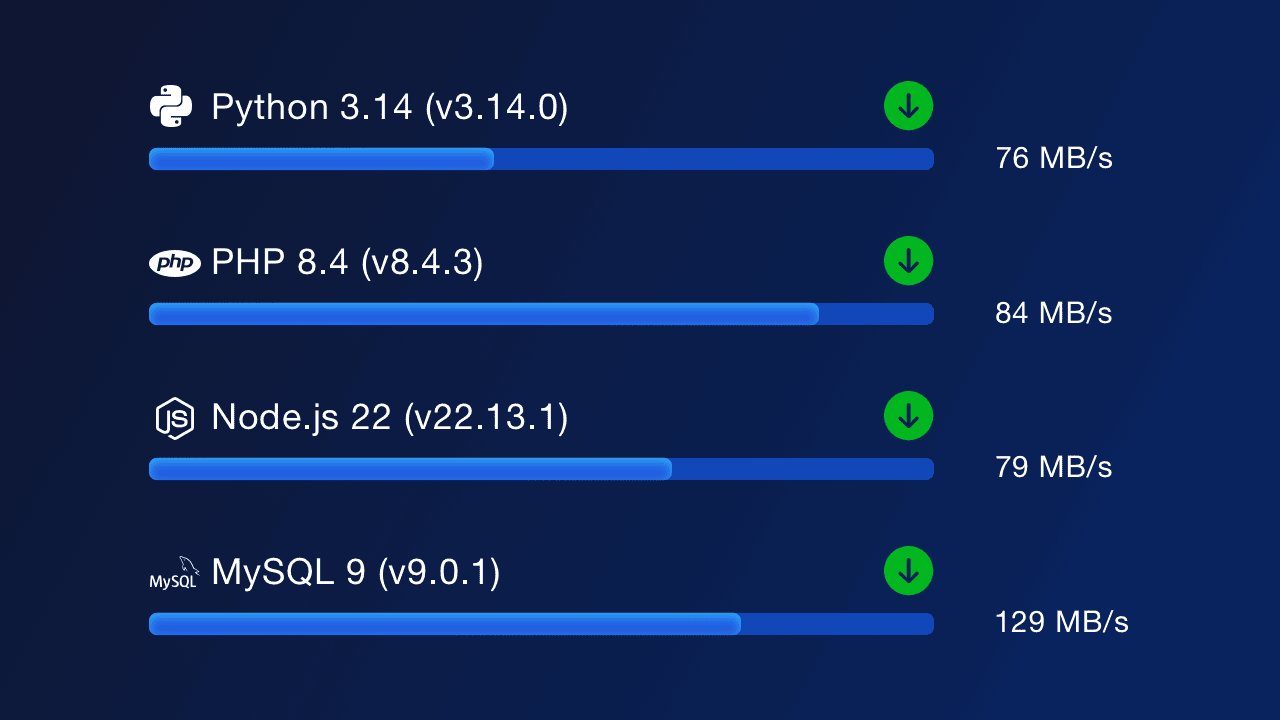
Time is money. ServBay allows developers to freely switch between different versions of PHP, Node.js, and Python without requiring re-downloads, thus saving a lot of time. Using ServBay, your testing speed can increase by 40% and web request speed can double.

Born for Modern Teams

Born for Modern Teams

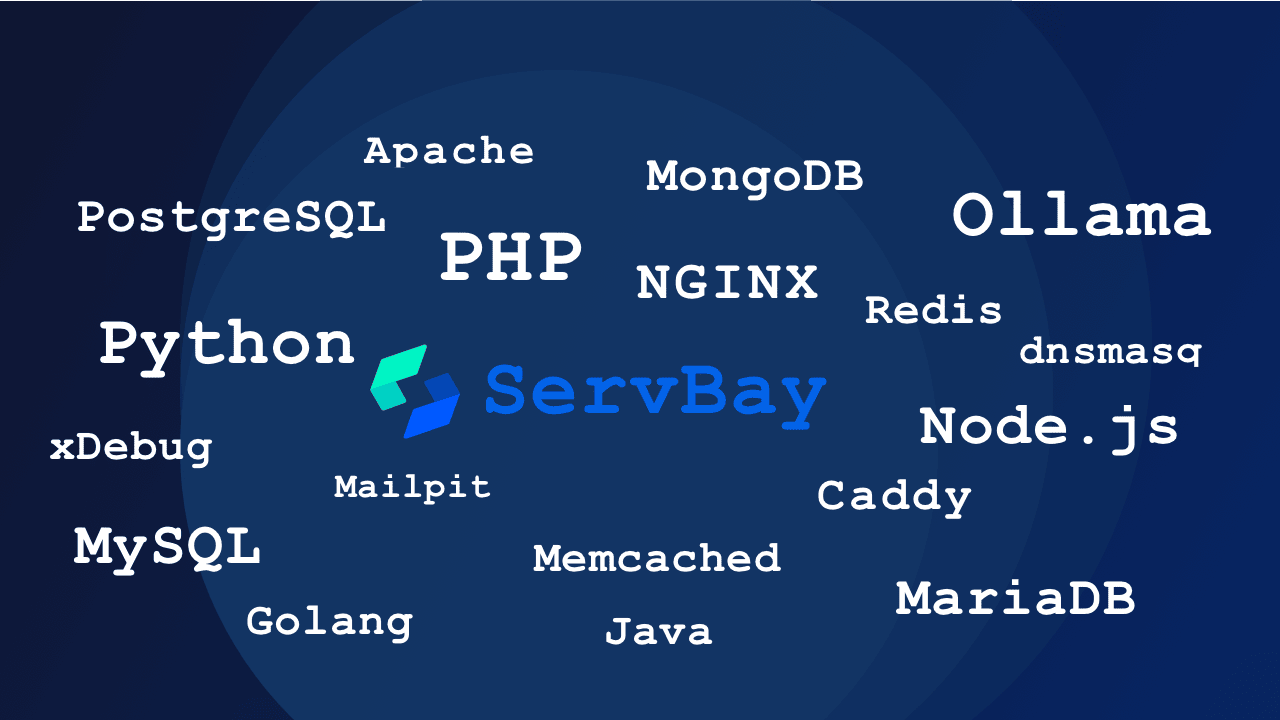
Compared to similar software, ServBay keeps pace with the times, maintaining a high frequency of updates to ensure developers can keep up with the latest technology. ServBay offers a rich array of packages covering development languages like PHP, Node.js, and Python, as well as web servers and databases like Caddy, Nginx, and Apache, even Ollama. This ensures that developers can always use the latest and most cutting-edge technologies.

Unified Development Environment

Unified Development Environment

Maintaining a consistent development environment is a challenge for team managers. ServBay Team’s Unified Configuration can unify team development environments, facilitating real-time sharing and collaboration on work outcomes, especially for agile development teams that require high collaboration.

Sounds great, but I want to know more

ServBay boasts a complete development ecosystem

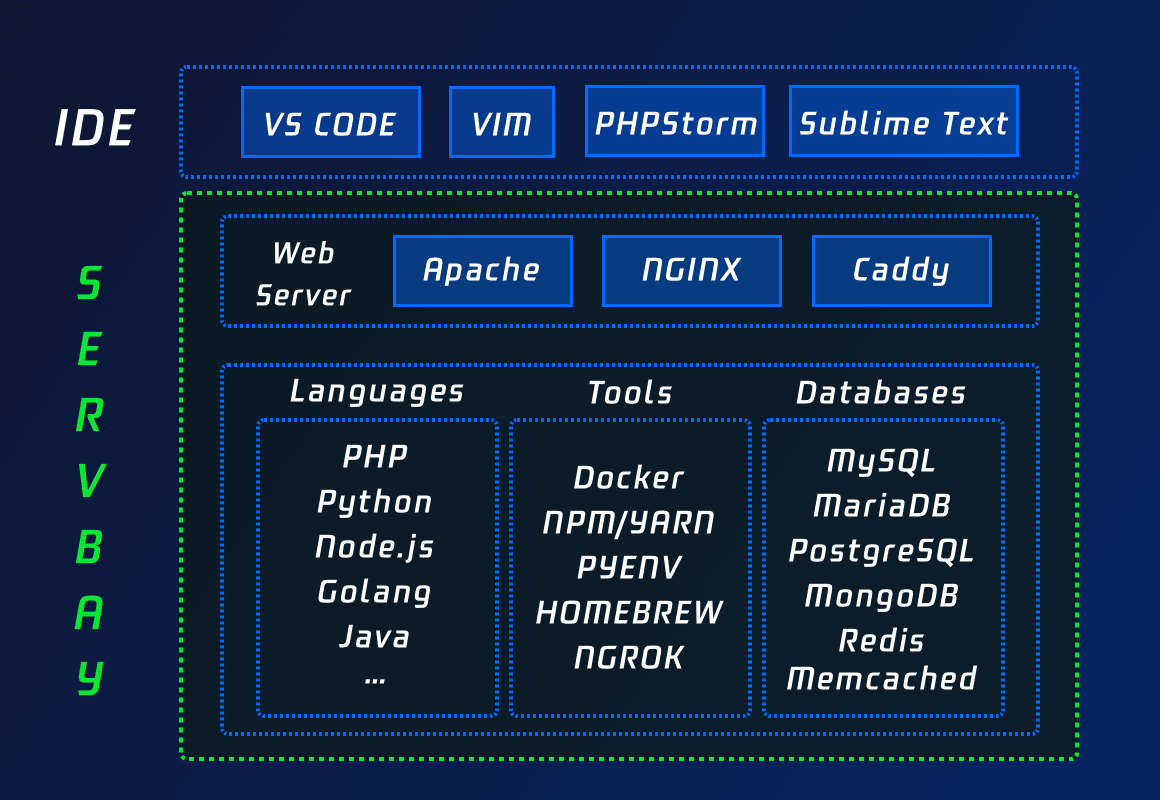
As a cornerstone for development, ServBay has a complete development ecosystem, offering PHP, Node.js, and Python, as well as MySQL, PostgreSQL, and MongoDB, and including xDebug. All installations can be done with just one click, requiring no manual configuration, while you can manage your websites and services directly via the graphical interface.
ServBay boasts a complete development ecosystem
One-Click Switching, No Configuration Required

One-Click Switching, No Configuration Required

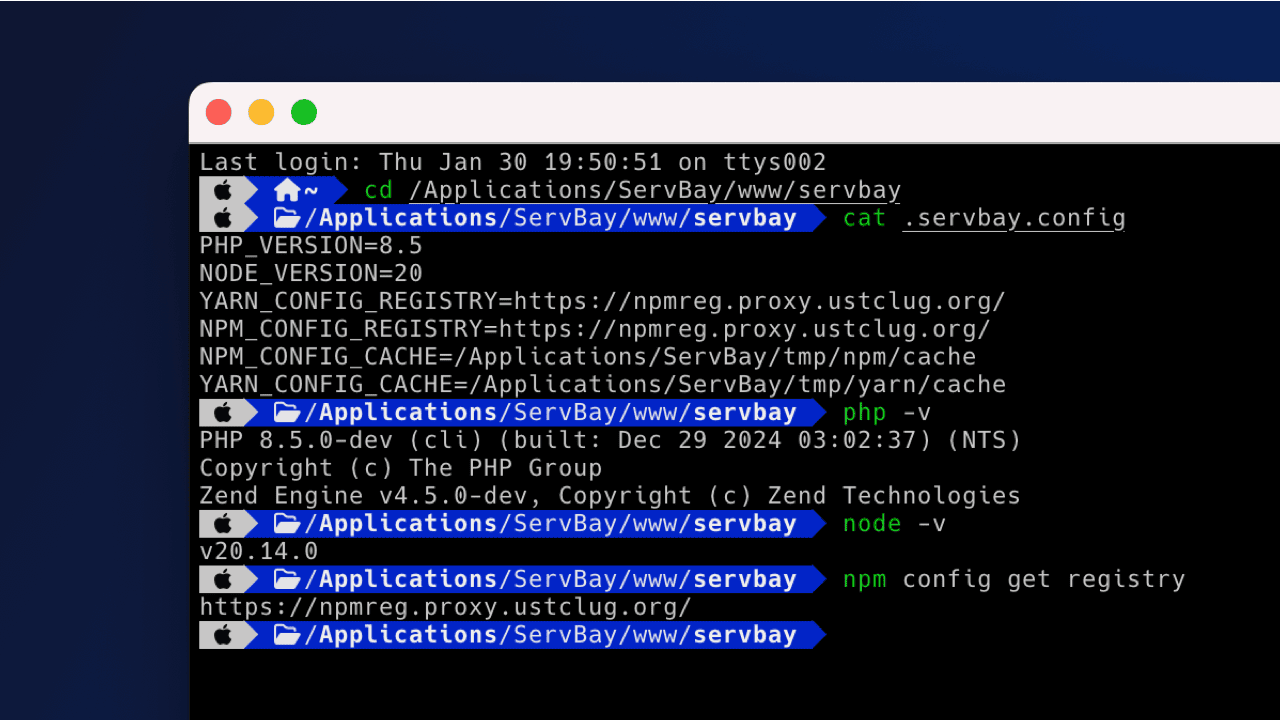
ServBay includes an array of software, PHP (from PHP 5.6 to PHP 8.5), Node.js (from Node.js 12 to Node.js 23), and Python (from Python 2.7, Python 3.5 to Python 3.14). Installation and updates for this software can all be completed with a mouse click without the need to redownload or manually install/configure.

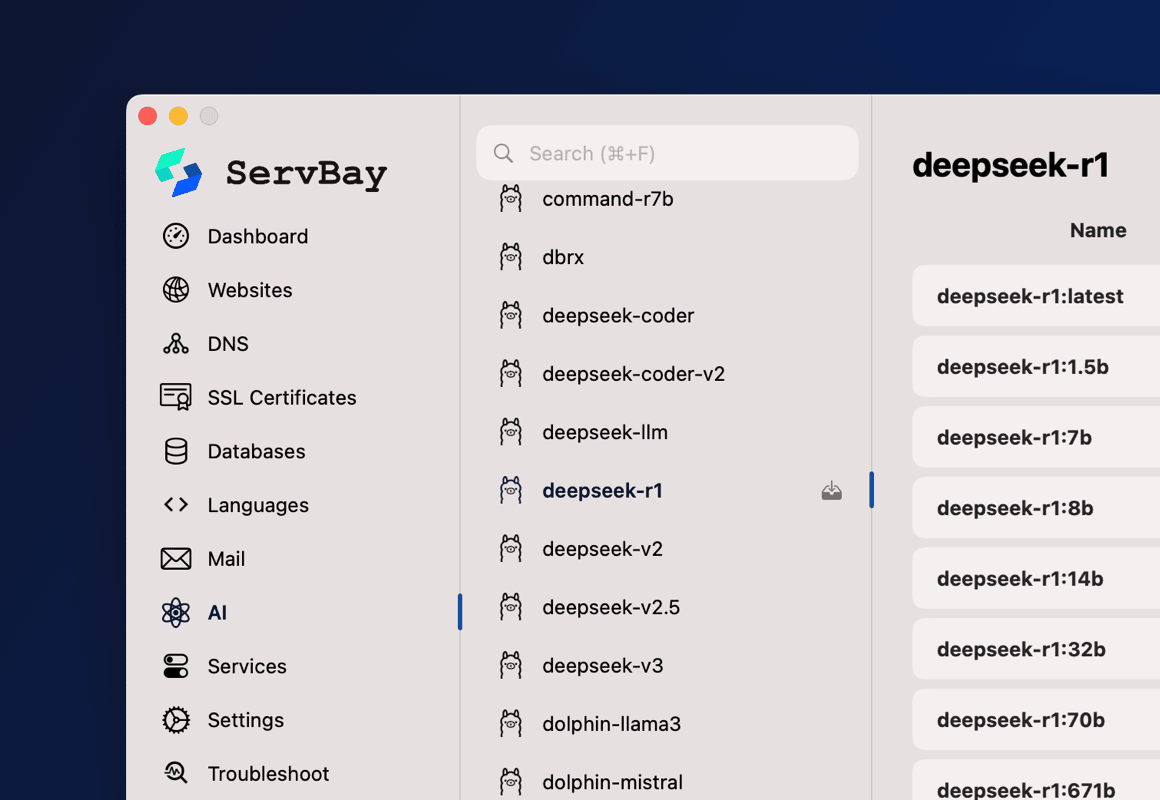
Built-in Ollama for Fast Running of Large Models

ServBay is the first and only local development environment built with Ollama. Users can deploy Ollama with just one click through ServBay and use various model architectures supported by Ollama, including the popular deepseek-r1 and qwen2.5, without needing to use the command line.
Built-in Ollama for Fast Running of Large Models

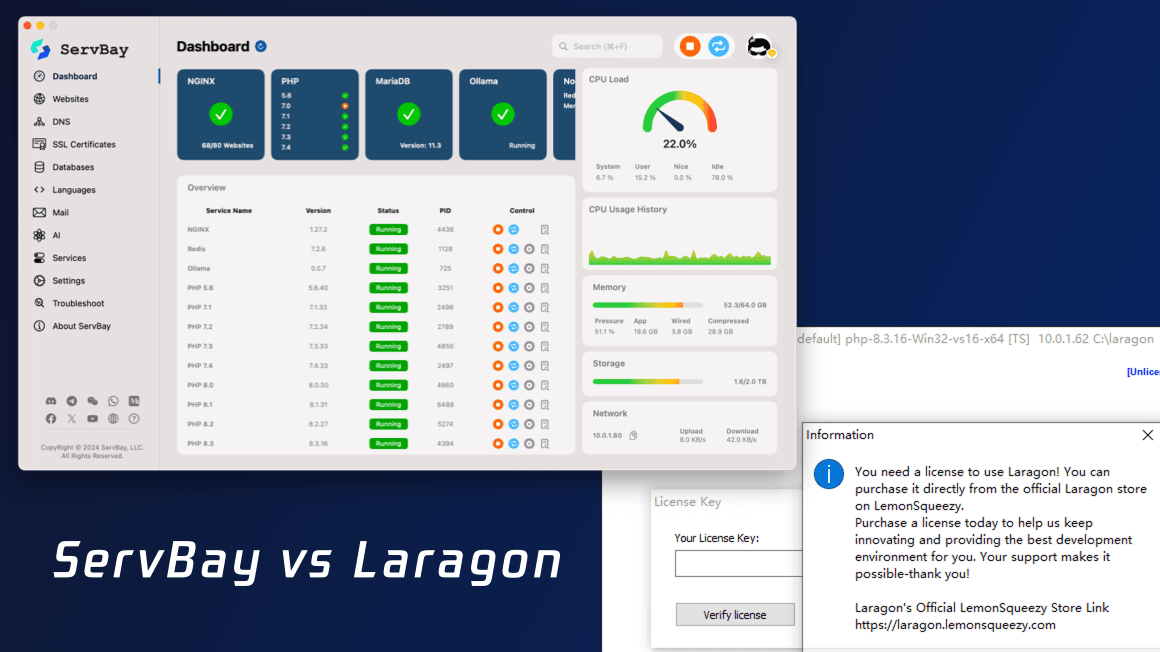
Comparison of ServBay with Laragon

Features
ServBay
Laragon
Cross-platform support ✓ ✗
Instant switching between different software versions ✓ ✗
Built-in Xdebug ✓ ✗
PKI system ✓ ✗
Built-in Mailpit ✓ ✗
Team collaboration ✓ ✗
LLM (Ollama) ✓ ✗

We have served countless excellent developers

"I just tested ServBay, and it's amazing. Keep up the good work."

Schwarz @ Senior Backend Architect

"ServBay saved me a lot of hassle in setting up Laravel, which drove me insane when I set it up with Homestead before."

Harris Carpenter @ Data Engineer

"I am very satisfied with ServBay and use it every day now."

Felix Thomas @ Python Web Crawler Developer

"You guys are doing a great job; keep it up! This is the best tool for development on macOS, and I really like it!"

Walters @ Senior PHP Developer

"ServBay provides a great graphical user interface for managing PHP-based servers on macOS."

Paulo Swerts @ PHP Engineer

"As a web developer, I find ServBay to be the easiest way to set up a local server."

Chris Nakamura @ Web Developer

Detailed feature comparison between ServBay and Laragon

Features\Products
ServBay
ServBay Pro
ServBay Team
Laragon
Pricing
Pricing
Free
$59 (Edu Plan: $29)
$399.00
$149.99
Free Trial
/
7 days
/
✗
Licensed Users
/
1
10
/
Licensed Device
/
2/User
2/User
1
Additional User License
/
/
✓
/
Additional User Pricing (per user)
/
/
$39.90
/
Features
macOS Support
✓
✓
✓
✗
Native macOS App
Swift + SwiftUI
Swift + SwiftUI
Swift + SwiftUI
/
Supports macOS system versions
macOS 12+
macOS 12+
macOS 12+
/
Windows support
✓
✓
✓
✓
Native Windows Application
C# + AvaloniaUI
C# + AvaloniaUI
C# + AvaloniaUI
/
Supports Windows system versions
Windows 10/11 & Windows Server 2012+
/
Installer Size
50 MB
50 MB
50 MB
222 MB
Upgradeable Package
✓
✓
✓
✓
Security Updates
✓
✓
✓
/
Operating System
Non-intrusive Installation
✓
✓
✓
✓
Launch at Login
✓
✓
✓
✓
Start with System
✓
✓
✓
✓
CLI Support
✓
✓
✓
✓
GUI Interface
System Resource Monitor Panel
✓
✓
✓
✗
Quick Control / Menu Bar
✓
✓
✓
✗
Service Control Panel
✓
✓
✓
✗
Multilingual
✓
✓
✓
✗
User-friendly Application
✓
✓
✓
✗
Configurable via GUI
✓
✓
✓
❗️Limited
Easy Backup
✓
✓
✓
✗
Website Grouping
✗
✓
✓
✗
Web Servers
Apache
✓
✓
✓
✓
NGINX
✓
✓
✓
✓
Caddy
✓
✓
✓
✗
Websites / Hosts
Configurable via GUI
✓
✓
✓
❗️Limited
Multiple Websites
✓
✓
✓
✗
Max Websites
5
Unlimited
Unlimited
1
Custom Domains
✓
✓
✓
✓
Custom Ports
✗
✓
✓
✓
Custom SSL Certificate
✓
✓
✓
✗
Custom TLD
✓
✓
✓
✗
Multiple Domains / Aliases
✗
✓
✓
✗
Selectable PHP Version
✓
✓
✓
✓
URL Rewrite (Pseudo-static)
✓
✓
✓
✗
CORS Support
✗
✓
✓
✗
Static Site Support
✓
✓
✓
✓
Reverse Proxy
✓
✓
✓
✗
Docker/Node.js Proxy
✓
✓
✓
✗
Redirect (301/302)
✓
✓
✓
✗
SSL Support
PKI
✗
✓
✓
✗
ACME Certificate
✗
✓
✓
✗
ACME Auto-Renewal
✗
✓
✓
✗
ACME - Let's Encrypt
✗
✓
✓
✗
ACME - ZeroSSL
✗
✓
✓
✗
ACME - Google Trust Services
✗
✓
✓
✗
Self-signed SSL
✓
✓
✓
✗
ServBay Private CA
✓
✓
✓
✗
Private Domain Certificate
10
Unlimited
Unlimited
✗
Private S/MIME Certificate
2
10
30
✗
Private Code Signing Certificate
✗
2
10
✗
Private Document Signing Certificate
✗
5
30
✗
ServBay Public CA
✗
✓
✓
✗
Public Domain Certificate
✗
20
100
✗
Public S/MIME Certificate
✗
10
30
✗
Public Code Signing Certificate
✗
1
5
✗
Public Document Signing Certificate
✗
5
30
✗
Programming Languages
PHP Support
✓
✓
✓
✓
Multiple PHP Versions
5.3 ~ 8.6
5.3 ~ 8.6
5.3 ~ 8.6
8.1 ~ 8.4
PHP 8.4
✓
✓
✓
✓
PHP 8.5
✓
✓
✓
✗
Multiple PHP Instances
✓
✓
✓
✗
Instant PHP Version Switching
✓
✓
✓
✓
Node.js Support
✓
✓
✓
✓
Node.js 22
✓
✓
✓
✗
Node.js 23
✓
✓
✓
✗
Multiple Node.js Versions
12 ~ 25
12 ~ 25
12 ~ 25
22/23
Instant Node.js Version Switching
✓
✓
✓
✓
Bun supported
✓
✓
✓
✗
Deno Supported
✓
✓
✓
✗
Python 2.x
✓
✓
✓
✗
Python 3.x
✓
✓
✓
✓
Multiple Python Versions
2.7 & 3.5 ~ 3.14
2.7 & 3.5 ~ 3.14
2.7 & 3.5 ~ 3.14
3.13
Instant Python Version Switching
✓
✓
✓
✓
Go Support
✓
✓
✓
✓
Multiple Go Versions
1.11 ~ 1.26
1.11 ~ 1.26
1.11 ~ 1.26
/
Instant Go Version Switching
✓
✓
✓
✗
Java Support
✓
✓
✓
✗
Multiple Java Versions
7(1.7.0) ~ 25
7(1.7.0) ~ 25
7(1.7.0) ~ 25
/
Instant Java Version Switching
✓
✓
✓
✗
.NET Support
✓
✓
✓
✗
Multiple .NET Versions
2.0 ~ 10.0
2.0 ~ 10.0
2.0 ~ 10.0
/
Instant .NET Version Switching
✓
✓
✓
✗
Mono Support
✓
✓
✓
✗
Multiple Mono Versions
6.x
6.x
6.x
/
Ruby Support
✓
✓
✓
✗
Multiple Ruby Versions
2.4 ~ 4.0
2.4 ~ 4.0
2.4 ~ 4.0
/
Instant Ruby Version Switching
✓
✓
✓
✗
Rust Support
✓
✓
✓
✗
Multiple Rust Versions
1.x
1.x
1.x
/
Databases
MySQL Support
✓
✓
✓
✓
Multiple MySQL Versions
5.1 ~ 9.6
5.1 ~ 9.6
5.1 ~ 9.6
✗
Multiple MySQL Instances
✗
✓
✓
✗
Instant MySQL Version Switching
✓
✓
✓
✓
MariaDB Support
✓
✓
✓
✗
Multiple MariaDB Versions
10.4 ~ 12.1
10.4 ~ 12.1
10.4 ~ 12.1
✗
Multiple MariaDB Instances
✗
✓
✓
✗
Instant MariaDB Version Switching
✓
✓
✓
✗
PostgreSQL Support
✓
✓
✓
✓
Multiple PostgreSQL Versions
10 ~ 18
10 ~ 18
10 ~ 18
✓
Multiple PostgreSQL Instances
✗
✓
✓
✗
Instant PostgreSQL Version Switching
✓
✓
✓
✓
MongoDB Support
✓
✓
✓
✓
Multiple MongoDB Versions
5.0 ~ 8.2
5.0 ~ 8.2
5.0 ~ 8.2
✗
Multiple MongoDB Instances
✗
✓
✓
✗
Instant MongoDB Version Switching
✓
✓
✓
✓
Redis Support
✓
✓
✓
✓
Memcached Support
✓
✓
✓
✓
SQLite 3
✓
✓
✓
✓
AI
Ollama
✓
✓
✓
✗
Multi-threaded Model Download
✗
✓
✓
✗
AI Gateway
✓
✓
✓
✗
MCP Server
✓
✓
✓
✗
AI Client Integration
✓
✓
✓
✗
Mail Server
Built-in Mail Server
✗
✓
✓
❗️Limited
SSL/TLS
✗
✓
✓
✗
STARTTLS
✗
✓
✓
✗
SMTP
✗
✓
✓
✗
POP3
✗
✓
✓
✗
Mail Relay
✗
✓
✓
✗
Webhook
✗
✓
✓
✗
SpamAssassin
✗
✓
✓
✗
DNS
Built-in DNS Server
✓
✓
✓
✗
Custom Domains
5
Unlimited
Unlimited
✓
hosts File Management GUI
✗
✓
✓
✗
Domain Resolution via /etc/hosts
✓
✓
✓
✓
Domain Resolution via Local Built-in DNS Server
✓
✓
✓
✗
Tunnels / Reverse Proxy
ServBay
✗
✓
✓
✗
Cloudflared
✗
✓
✓
✗
FRP
✗
✓
✓
✗
Ngrok
✗
✓
✓
✗
Pinggy.io
✗
✓
✓
✗
Search Engine
Typesense
✗
✓
✓
✗
Meilisearch
✗
✓
✓
✗
Object Storage
MinIO
✗
✓
✓
✗
Tools
phpMyAdmin
✓
✓
✓
✓
Adminer
✓
✓
✓
✗
Git
✓
✓
✓
✗
SVN (Subversion)
✓
✓
✓
✗
OpenSSL
✓
✓
✓
✗
Composer 2.2 LTS
✓
✓
✓
✗
Composer
✓
✓
✓
✗
cURL
✓
✓
✓
✗
npm
✓
✓
✓
✗
pnpm
✓
✓
✓
✗
yarn
✓
✓
✓
✗
Apache Maven
✓
✓
✓
✗
Customization
Project-level Custom Configuration
✓
✓
✓
✓
Custom PHP Settings
✗
✓
✓
✗
PHP FPM Settings
✗
✓
✓
✗
PHP Extension Settings
✗
✓
✓
✗
Node.js Settings
✓
✓
✓
✗
Python Settings
✓
✓
✓
✗
Redis Settings
✗
✓
✓
✗
Memcached Settings
✗
✓
✓
✗
MySQL Settings
✗
✓
✓
✗
MariaDB Settings
✗
✓
✓
✗
PostgreSQL Settings
✗
✓
✓
✗
MongoDB Settings
✗
✓
✓
✗
Email Server Settings
✗
✓
✓
❗️Limited
Ollama Settings
✗
✓
✓
✗
Backup
Backup to External Storage
✗
✓
✓
✗
Automatic Scheduled Backup
✗
✓
✓
✗
Scheduled Backup - Daily
✗
✓
✓
✗
Scheduled Backup - Weekly
✗
✓
✓
✗
Scheduled Backup - Monthly
✗
✓
✓
✗
Manual Backup
✗
✓
✓
✗
Manual Backup Restore
✗
✓
✓
✗
ServBay Configuration
✗
✓
✓
✗
Website
✗
✓
✓
✗
Single / Multiple Websites
✗
✓
✓
✗
SSL Certificate
✗
✓
✓
✗
Single / Multiple SSL Certificates
✗
✓
✓
✗
MySQL
✗
✓
✓
✗
Multiple MySQL Servers
✗
✓
✓
✗
Single / Multiple MySQL Databases
✗
✓
✓
✗
MariaDB
✗
✓
✓
✗
Multiple MariaDB Servers
✗
✓
✓
✗
Single / Multiple MariaDB Databases
✗
✓
✓
✗
PostgreSQL
✗
✓
✓
✗
Multiple PostgreSQL Servers
✗
✓
✓
✗
Single / Multiple PostgreSQL Databases
✗
✓
✓
✗
Development Tools
Development Libraries
✓
✓
✓
✗
Recompilation Support
✓
✓
✓
✗
Additional PHP Extension Compilation
✓
✓
✓
✗
Team
Team Management
✗
✗
✓
✗
Share To Team
✗
✗
Coming Soon
✗
Unified Configuration
✗
✗
Coming Soon
✗
Virtual Dev Network
✗
✗
Coming Soon
✗
Support
AI Assistant
✓
✓
✓
✗
Self-service Diagnostic Tool
✓
✓
✓
✗
Documentation
✓
✓
✓
✓
Community
✓
✓
✓
✓
Email
✗
✓
✓
✗
Paid Support
✗
✓
✓
✗
Discord
✓
✓
✓
✗
Telegram
✓
✓
✓
✗
WhatsApp
✗
✓
✓
✗
Line
✗
✓
✓
✗
WeCom
✗
✓
✓
✗
WeChat Group
✓
✓
✓
✗

Frequently Asked Questions

If you have more questions, please visit the Help Center.
What is ServBay and why should I use it?

ServBay provides you with a one-stop local web development environment, serving as a powerful cornerstone for development. It includes everything you need, such as web servers, databases, programming languages, mail servers, and queue services. Just add development IDEs like vscode, and developers can start coding immediately without any additional setup.

We are an AI development team; is ServBay suitable?

Absolutely! ServBay includes Ollama and Python, further simplifying the installation of large language models. With just a few clicks, users can launch Ollama through ServBay, enabling the models supported by Ollama without entering any command lines. Zero configuration and zero code make it possible to deploy the AI models you need locally.

What platforms does ServBay support?

ServBay supports macOS and Windows.

How does ServBay add another PHP version?

Adding another PHP version in ServBay is very simple. Just go to the 'Services' -> 'PHP' page and click to download the desired PHP version. If you want to remove unnecessary software, click the delete icon to remove it immediately. It's very convenient and quick, with no command line needed.

How to send and receive emails via ServBay?

ServBay includes the Mailpit mail server, supporting SMTP and POP3 protocols, ready to use out of the box. Through ServBay PKI, you can directly enable STARTTLS and SSL/TLS encryption, with no need to apply for or configure certificates separately, ensuring email security anytime and anywhere.

Is ServBay suitable for team usage?

ServBay is designed to help teams create consistent and easy-to-maintain development environments. With ServBay Team’s Unified Configuration feature, managers can deploy configurations with one click, unifying the development environments of the entire team to reduce discrepancies in the team’s development environment and code, greatly improving team efficiency.

The Next Generation Development Tool

1 app, 2 clicks, and 3 minutes are all you need to set up your web development environment. No need to compile and install dependencies, non-intrusive to the system. Includes various versions of programming languages, databases, domain names, SSL certificates, email servers, and reverse proxies.


ServBay AI Helper
ServBay AI Helper